Export Your Logo: SVG, PNG, HTML Code, Favicon Set and Project File
Key takeaways
- Two SVGs - web (linked fonts) for websites, standalone (embedded fonts) for design tools and print.
- PNG offers 1×–4× scale, background or transparent, whole artboard or letters only.
- The icon package builds favicon.ico, app icons, PNGs, SVGs, a manifest and an HTML snippet in one zip.
You've designed the logo; now you need files. Logo Generator puts every export behind one Export button in the top-right corner. This guide covers each option in detail and when to use it. If you're not sure which format you need, start with which logo file format to use.
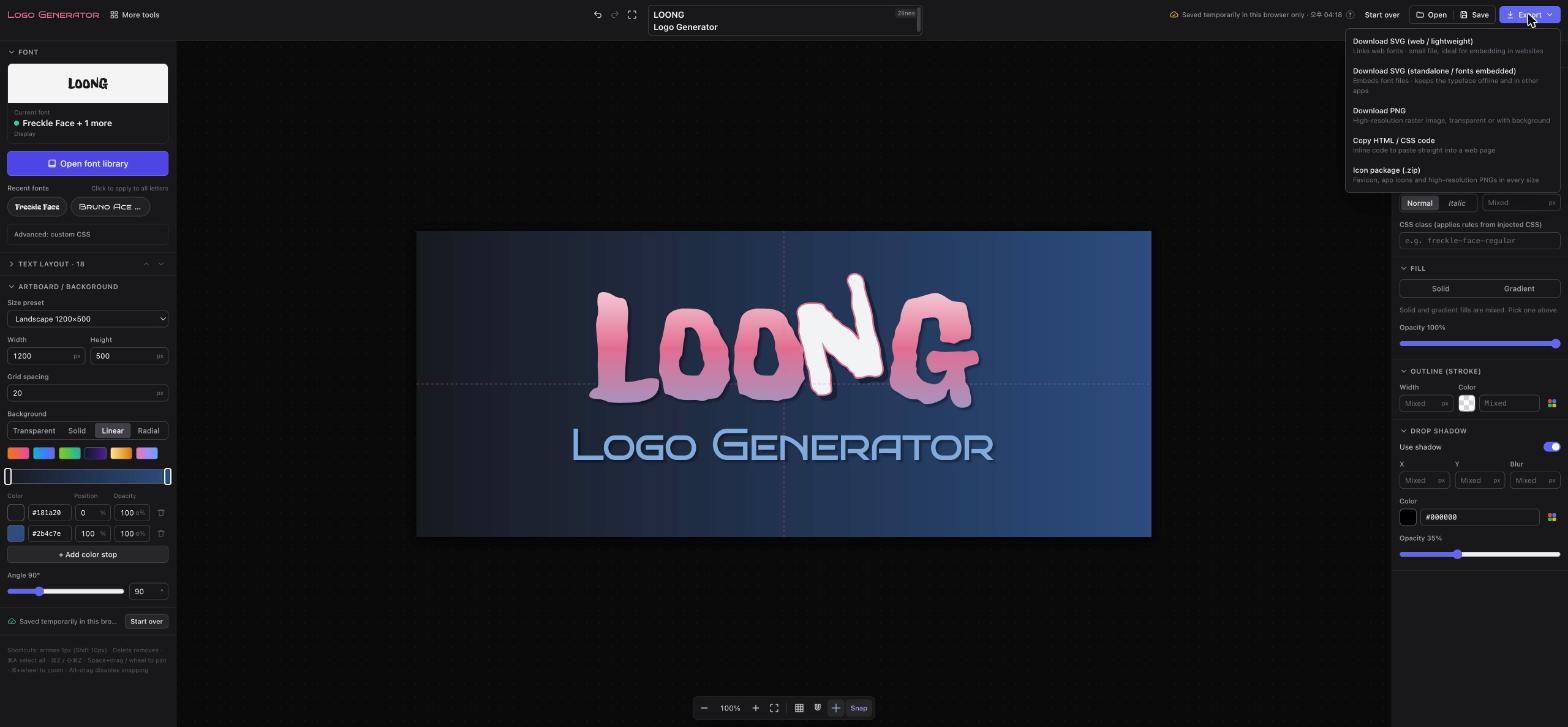 Five export options, each with a one-line description of what it's for.
1. SVG (web / lightweight)
Use for: websites, landing pages, web apps.
This SVG links to web fonts with an @import, so the file stays small. Browsers download the font when the page loads. It's the best choice for anything that lives online.
Watch out: if you open it offline or in a design app that can't load web fonts, it falls back to a default typeface.
2. SVG (standalone / fonts embedded)
Use for: Figma, Illustrator, Inkscape, Canva, print shops, sending to other people.
The font files are embedded inside the SVG, so it looks identical everywhere, even offline. It's larger than the web version. If a font can't be embedded (rare, server restrictions), you'll get a notice and that font stays linked.
3. PNG
Use for: documents, slides, email signatures, social uploads, anywhere SVG isn't accepted.
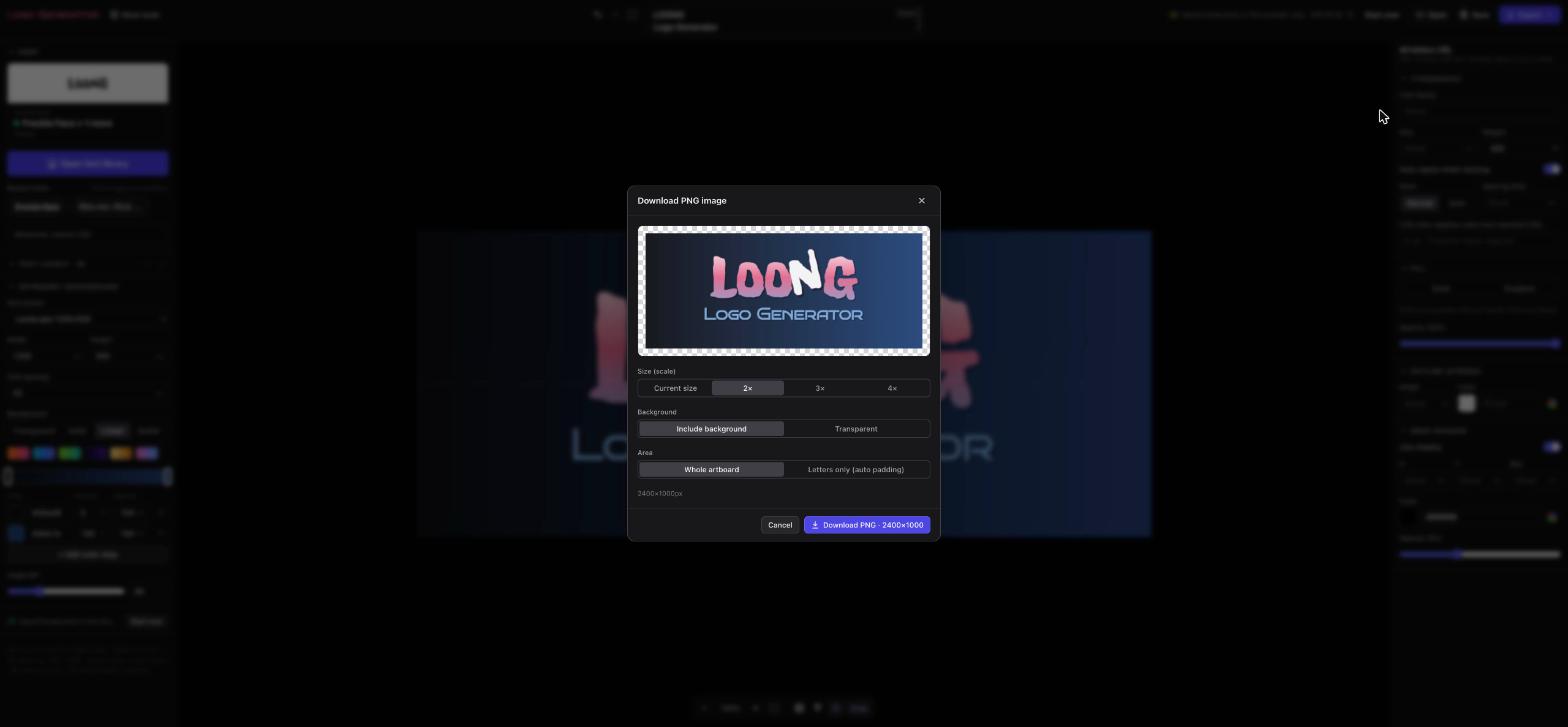
Choose scale, background and area. The preview and final pixel size update instantly.
- Size (scale): Current size, 2×, 3× or 4×. Use 2× or more for crisp results on high-resolution screens.
- Background: Include background, or Transparent.
- Area: Whole artboard, or Letters only (auto padding) to crop tightly around the logo.
The button shows the final size, for example "Download PNG · 2400×1000".
4. HTML / CSS code
Use for: pasting a logo straight into a web page, CMS or no-code builder, and handing it to AI assistants.
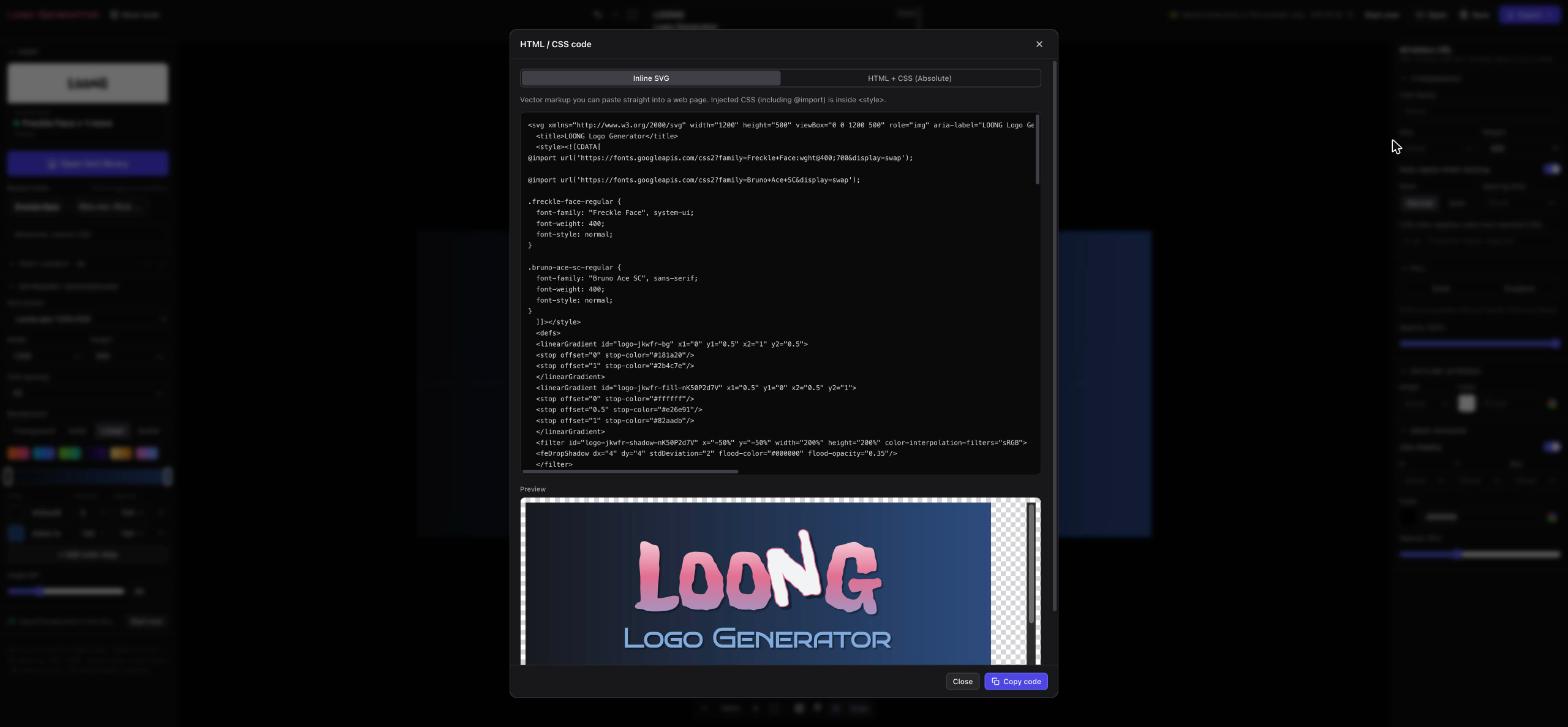 Inline SVG code with injected font CSS and a live preview below.
Two tabs:
- Inline SVG: vector markup with the font CSS inside a
<style>block. Paste it anywhere HTML is allowed. - HTML + CSS (Absolute): each letter is an absolutely positioned element. The text stays selectable and searchable.
Click Copy code. For ideas on using this code with AI tools, see editing your logo with AI using HTML.
5. Icon package (.zip)
Use for: favicons, home-screen icons and a complete set of PNG sizes.
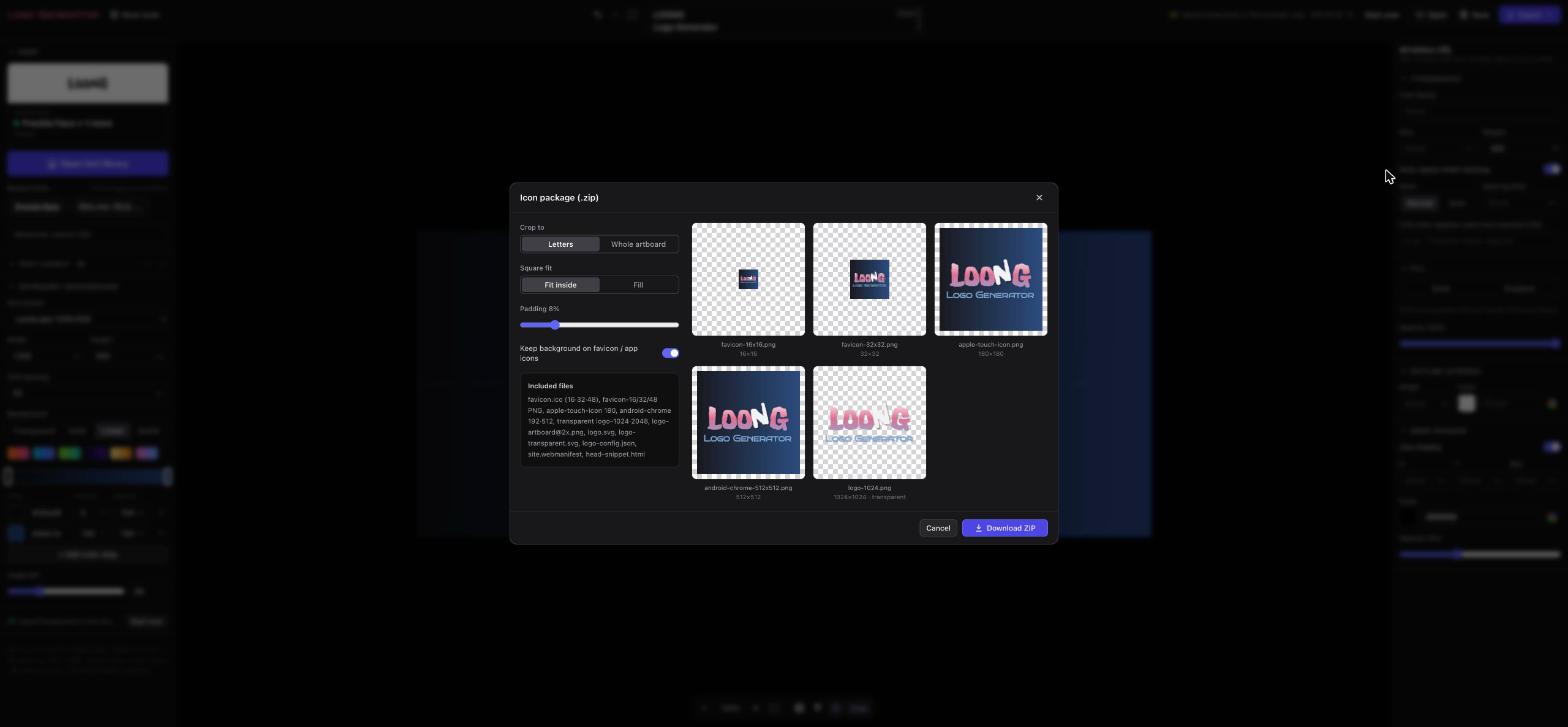 Previews show the 16px and 32px favicons, the 180px Apple icon, the 512px Android icon and a transparent 1024px logo.
Settings:
- Crop to: Letters, or Whole artboard.
- Square fit: Fit inside (whole logo visible) or Fill (crops to fill the square).
- Padding: space around the logo.
- Keep background on favicon / app icons.
The zip contains favicon.ico (16/32/48), favicon PNGs, apple-touch-icon.png, Android icons (192/512), transparent logo-1024.png and logo-2048.png, logo-artboard@2x.png, logo.svg, logo-transparent.svg, logo-config.json, site.webmanifest and head-snippet.html. Installing it on a site is covered in the favicon guide.
6. Save the project
Not under Export, but just as important: Save in the top bar downloads logo-config.json. Open loads it later to continue editing. Your work is also autosaved in the browser, but only temporarily—see saving and opening projects.
A sensible export checklist
- Save the project file.
- Export SVG (web) for your site and SVG (fonts embedded) for everything else.
- Export a transparent PNG at 2× (letters only) and 4×.
- Export the icon package.
- Put everything in one folder named after your brand.
Next in the series: SVG vs PNG—why vector wins for logos.
FAQ
Why does my SVG show a different font in Illustrator?
You probably exported the web SVG, which links to fonts online. Use "SVG (standalone / fonts embedded)" for design tools and print.
What is the largest PNG I can export?
Up to 4× the artboard size, within the browser's canvas limit. If the size is too large, the dialog warns you to lower the scale.
Some fonts couldn't be embedded—what does that mean?
A few font servers block embedding (CORS). Those fonts stay as web font links in the SVG, and PNGs may use a fallback. Choosing a Google Font avoids this in almost all cases.
Keep reading
Insight
What File Format Should Your Logo Be? SVG, PNG, ICO, HTML and More
Which logo file to use where: SVG for websites and print, PNG for documents and social, ICO and PNG sizes for favicons, HTML for web embeds, and a project file for edits.
October 31, 2026 · 2 min readInsight
SVG vs PNG for Logos: Why Vector Wins (and When PNG Is Still Right)
Compare SVG and PNG for logos: sharpness at any size, file size, editability, transparency, browser and app support, and the cases where PNG is the better choice.
October 29, 2026 · 2 min readInsight
Give Your SVG Logo to an AI and Get a Website: Prompts That Work
How to use your SVG logo with AI assistants like ChatGPT, Claude or Gemini to generate a landing page that matches your brand, with copy-paste prompt templates.
October 28, 2026 · 3 min read