SVG vs PNG for Logos: Why Vector Wins (and When PNG Is Still Right)
Key takeaways
- SVG stays sharp at every size and is usually far smaller than a high-resolution PNG.
- SVG is editable text-based code - colours and shapes can be changed by people and AI tools.
- Use PNG where SVG isn't accepted - many document editors, social uploads and email clients.
Most logo questions eventually come down to one choice: SVG or PNG? Both support transparency and both work on the web, but they're built on completely different ideas. Understanding the difference helps you hand the right file to every person and platform.
Vector vs raster in one minute
- PNG is raster. It stores a grid of coloured pixels. Enlarge it beyond its pixel size and edges turn soft or jagged.
- SVG is vector. It stores instructions: "draw this curve, fill it with this colour". The device draws it at whatever size is needed, perfectly sharp.
Side by side
| SVG | PNG | |
|---|---|---|
| Sharp at any size | Yes | Only up to its pixel size |
| Typical file size for a logo | A few KB | Tens to hundreds of KB at 2×–4× |
| Transparency | Yes | Yes |
| Editable colours / shapes | Yes, it's code | No, only pixels |
| Readable by AI and search | Yes, text-based | Only via image recognition |
| Supported in browsers | Yes | Yes |
| Supported in Word / some social uploads | Limited | Yes |
Why SVG wins for logos
One file for every size. A website header, a retina phone, a 3-metre banner—the same SVG works everywhere.
Tiny and fast. A text logo as SVG is often under 10 KB, which helps page speed.
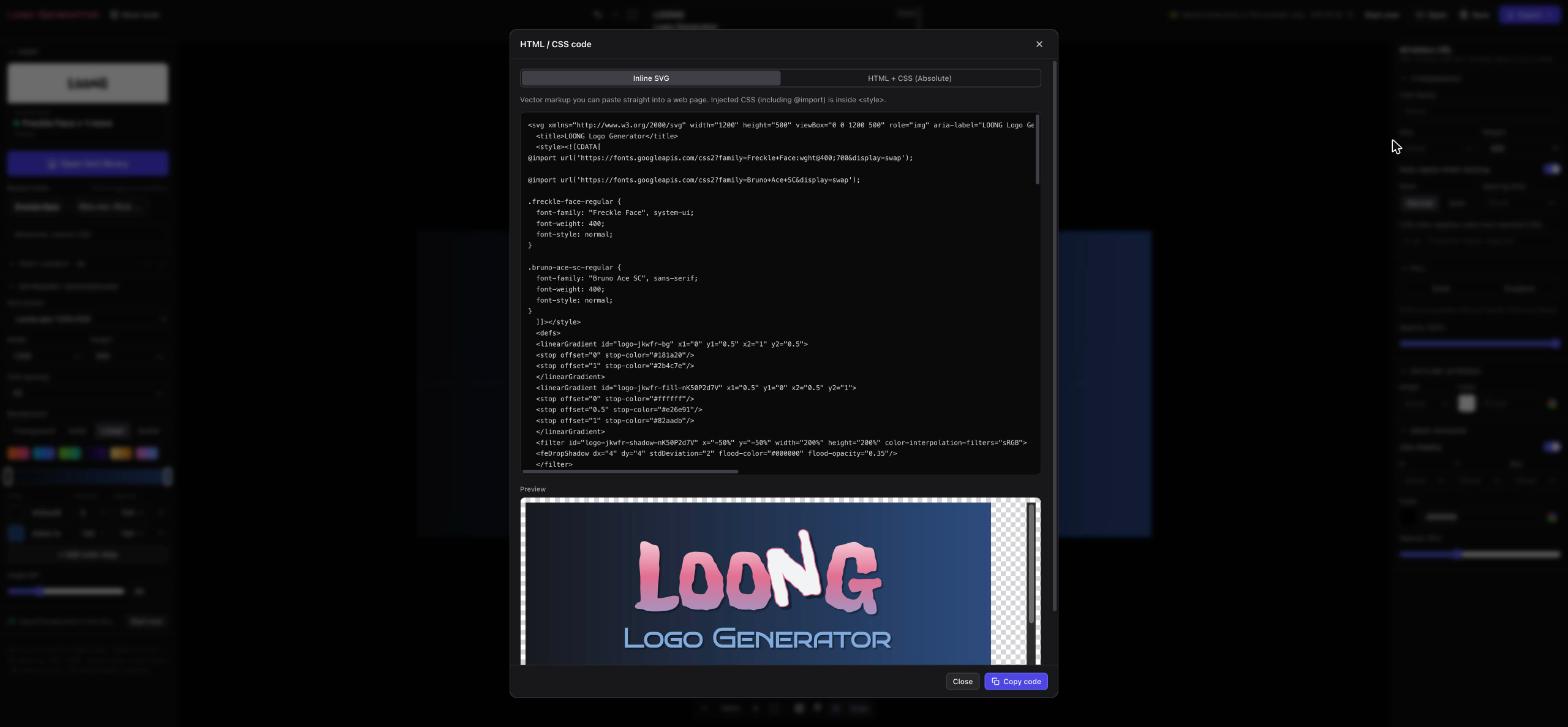
Editable. Because SVG is text, you can change a colour by editing one value—or ask an AI assistant to do it. This is what makes ideas like building a website from your SVG logo with AI possible.
Crisp everywhere. Dark mode, high-DPI screens, zoomed-in browsers—vector always renders cleanly.
When PNG is still the right call
- Documents and slides: Word, many email clients and some presentation tools handle PNG more reliably.
- Social media uploads: profile pictures, covers and posts require raster images.
- Messaging apps and marketplaces: most accept only PNG or JPG.
- When fonts must not change: if you can't embed fonts, a PNG guarantees the look.
The fix is simple: keep the SVG as your master and export PNGs from it at the sizes you need.
Getting both from Logo Generator
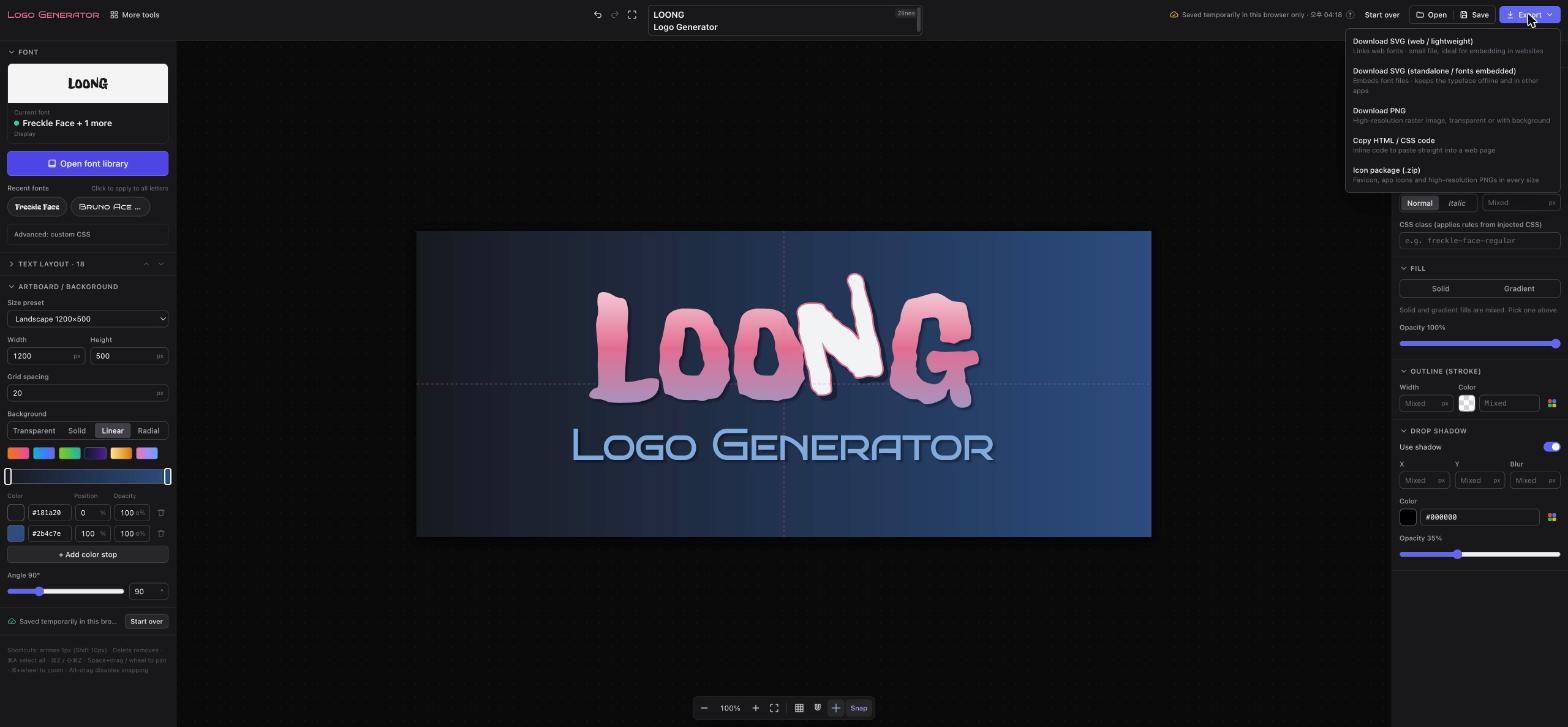
In Logo Generator, Export offers two SVGs (web with linked fonts, standalone with embedded fonts), PNG at up to 4×, and inline SVG code. The export guide covers each option.
SVG is readable code: fonts, gradients and shapes are all visible and editable.
Already have a PNG logo?
If you only have a PNG—say from an AI image generator—you can convert it with EdgeCleaner (To SVG), which cleans the edges and traces the image into vector paths. For a text logo, though, rebuilding it in a text-based editor gives cleaner, fully editable results.
Next in the series: hand your SVG logo to an AI and get a website.
FAQ
Is SVG supported on all websites?
Every modern browser displays SVG. Some website builders and CMSs restrict SVG uploads for security reasons; in that case, use the inline SVG code or a 2× PNG.
Can I convert a PNG logo to SVG?
You can trace it, for example with our EdgeCleaner (To SVG) tool, but tracing approximates shapes. Starting with a vector logo is always cleaner.
Why is my PNG logo blurry on some screens?
High-resolution screens show more pixels than the PNG contains. Export at 2× or 3× the display size, or use SVG.
Keep reading
 Insight
What File Format Should Your Logo Be? SVG, PNG, ICO, HTML and More
Which logo file to use where: SVG for websites and print, PNG for documents and social, ICO and PNG sizes for favicons, HTML for web embeds, and a project file for edits.
October 31, 2026 · 2 min readInsight
Give Your SVG Logo to an AI and Get a Website: Prompts That Work
How to use your SVG logo with AI assistants like ChatGPT, Claude or Gemini to generate a landing page that matches your brand, with copy-paste prompt templates.
October 28, 2026 · 3 min readInsight
Remix Your Logo with AI Using HTML Code: Colour Variations, Banners and Social Images
Export your logo as inline SVG or HTML/CSS and ask an AI to create colour variations, dark-mode versions, banners, social posts and animated headers—without losing the original.
October 27, 2026 · 2 min read