What File Format Should Your Logo Be? SVG, PNG, ICO, HTML and More
Key takeaways
- SVG is the master format for websites, design tools and print.
- PNG is for places that don't accept SVG—documents, slides, social uploads.
- Favicons need ICO plus several PNG sizes; keep a project file to make changes later.
"Can you send us your logo?" sounds simple until someone asks for "a vector", "a transparent PNG", "the favicon" or "something for the email signature". Each request needs a different file. This guide explains which format to use where, so you can answer in one email.
The short answer
| Where | File |
|---|---|
| Website header, landing page | SVG (web) |
| Figma, Illustrator, Canva, print shop | SVG (fonts embedded) |
| Word, Google Docs, PowerPoint, Keynote | PNG, 2×–4× size, transparent |
| Social profile picture | PNG, square, with background |
| Social cover / link preview | PNG at the platform size (e.g. 1200×630) |
| Browser tab icon | favicon.ico + PNG favicons |
| Home-screen icon | apple-touch-icon (180px), Android icons (192/512px) |
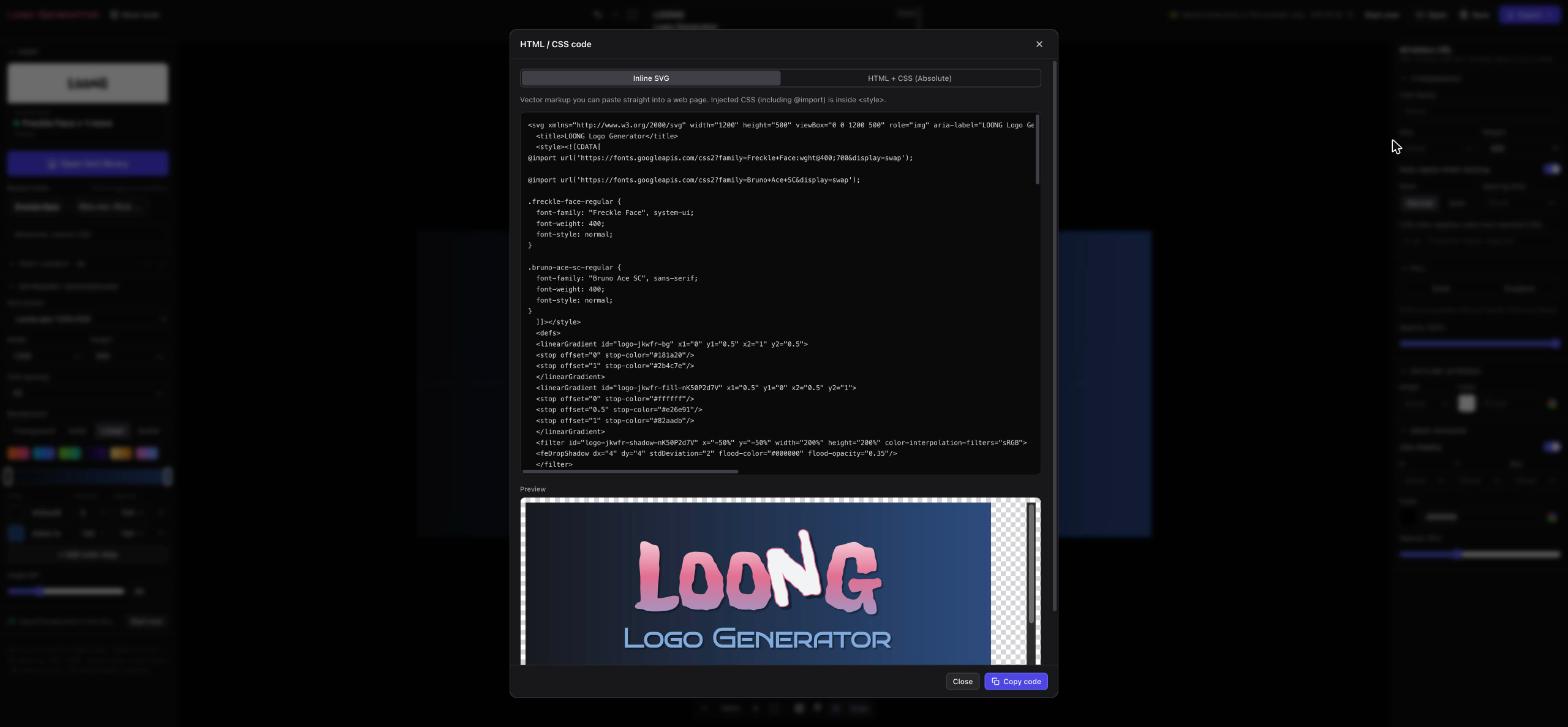
| Embedding in HTML | Inline SVG or HTML/CSS code |
| Editing later | Project file (logo-config.json) |
SVG: the master file
SVG is a vector format: shapes are described mathematically, so the logo stays sharp at any size and the file is tiny. Every modern browser and design tool reads it. Use SVG wherever it's accepted.
There are two flavours in Logo Generator:
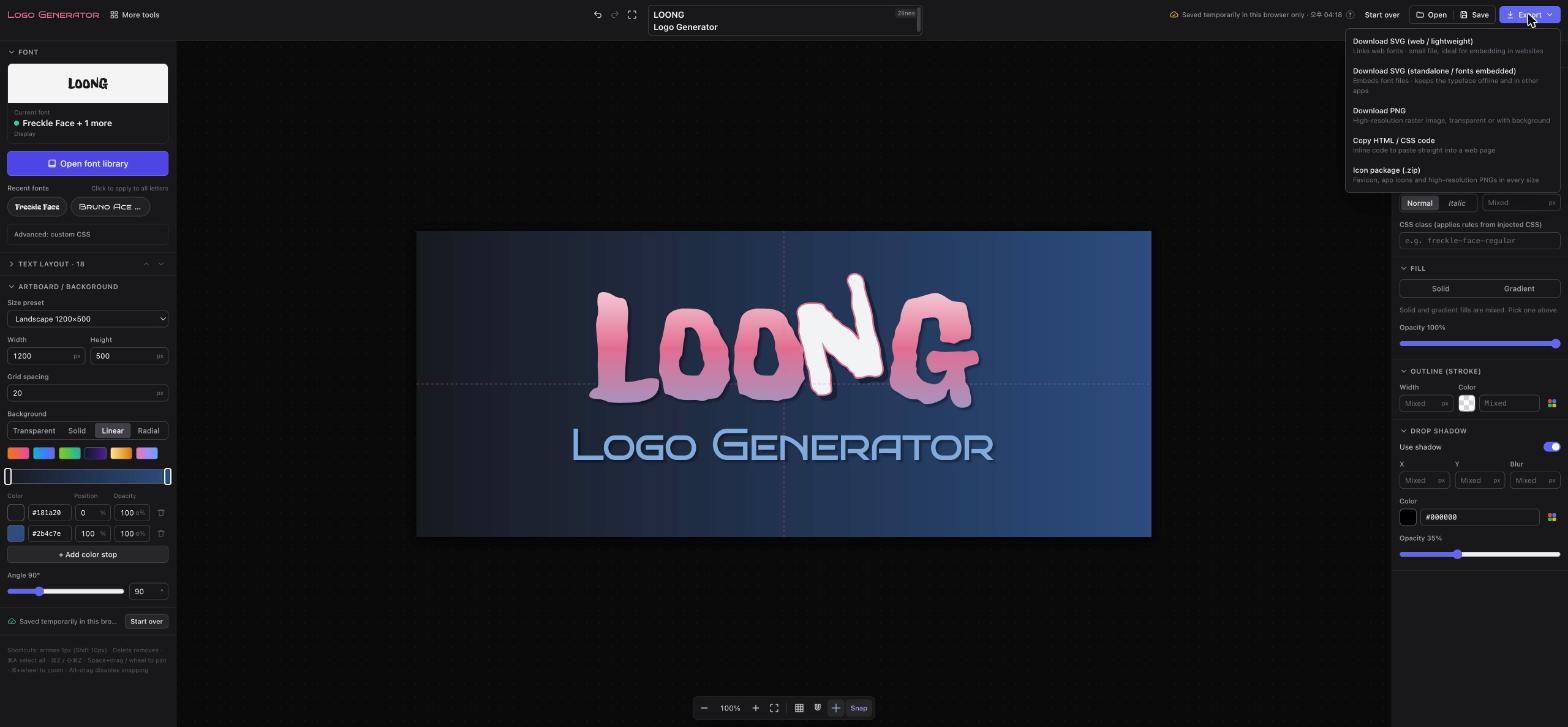
- Web / lightweight links to web fonts online. Small and ideal for websites.
- Standalone / fonts embedded includes the font data, so the typeface looks right offline, in other apps and at the printer.
Read more in SVG vs PNG for logos.
PNG: for everything that doesn't take SVG
PNG is a pixel image with transparency. Use it for documents, slides, email signatures and social uploads. Export at 2× or more so it stays sharp on high-resolution screens, and choose Transparent unless the destination needs a background.
Favicons and app icons
Browsers and phones look for specific files and sizes: favicon.ico (16/32/48px), PNG favicons, a 180px apple-touch-icon, 192px and 512px Android icons, and a site.webmanifest. Making these by hand is tedious; the Icon package (.zip) in Logo Generator creates all of them plus an HTML snippet. See the favicon guide.
HTML / CSS code
Sometimes the fastest way to put a logo on a web page is to paste code. Inline SVG drops straight into HTML; the HTML + CSS version keeps text selectable. Code is also the best format to hand to an AI assistant that's building or editing a page—see building a website from your SVG logo with AI.
The project file
The file people forget. logo-config.json stores letters, positions, styles and fonts so you can reopen the logo and change it—new colour, new tagline—without starting over. Keep it with your logo files. More in saving and opening projects.
Formats to avoid
- JPG: no transparency, blurry edges.
- Screenshots: low resolution and include whatever was behind the logo.
- GIF: limited colours, jagged edges.
Build a logo package
Create a folder with: SVG (web), SVG (fonts embedded), transparent PNG at 2× and 4×, a square PNG with background, the icon package, and the project file. Next time someone asks, send the folder.
Next in this series: how to export each format step by step.
FAQ
If I can only keep one file, which should it be?
The SVG—plus the project file if you used an editor. You can always create PNGs at any size from an SVG, but not the other way round.
What do printers ask for?
Usually a vector file: SVG, PDF, EPS or AI. An SVG with fonts embedded opens in Illustrator and converts to the others.
Is JPG OK for a logo?
Avoid it. JPG has no transparency and adds compression artefacts around sharp edges. Use PNG instead.
Keep reading
 Insight
SVG vs PNG for Logos: Why Vector Wins (and When PNG Is Still Right)
Compare SVG and PNG for logos: sharpness at any size, file size, editability, transparency, browser and app support, and the cases where PNG is the better choice.
October 29, 2026 · 2 min readInsight
Give Your SVG Logo to an AI and Get a Website: Prompts That Work
How to use your SVG logo with AI assistants like ChatGPT, Claude or Gemini to generate a landing page that matches your brand, with copy-paste prompt templates.
October 28, 2026 · 3 min readInsight
Remix Your Logo with AI Using HTML Code: Colour Variations, Banners and Social Images
Export your logo as inline SVG or HTML/CSS and ask an AI to create colour variations, dark-mode versions, banners, social posts and animated headers—without losing the original.
October 27, 2026 · 2 min read