How to Choose a Font for Your Logo: Free Google Fonts by Mood
Key takeaways
- The font is the logo's voice; choose by mood first, then by legibility.
- Sans serifs feel modern, serifs feel established, display fonts feel bold or playful.
- Google Fonts are free for commercial use under open licenses like OFL.
A logo font does a lot of work. Before anyone reads your name, the shapes of the letters have already said "modern", "friendly", "luxury" or "technical". Choosing well is mostly about matching that first impression to your brand—then making sure the font still reads at tiny sizes.
This guide explains what each font style communicates and suggests free Google Fonts you can test right away in Logo Generator.
Start with the mood, not the font
Write down three words that describe your brand, for example "calm, natural, premium" or "fast, bold, techy". Then look for a font family whose shapes match those words. Browsing fonts without this list usually ends in picking something you like personally rather than something that fits.
Font styles and what they say
Geometric sans serif — modern and clean
Built from circles and straight lines. Feels contemporary, digital and confident. Good for tech, startups and apps.
Try: Montserrat, Poppins, Unbounded, Space Grotesk.
Neutral sans serif — clear and trustworthy
Plain, highly legible shapes that stay out of the way. Good for services where clarity matters.
Try: Inter, Pretendard, Hanken Grotesk.
Serif — established and editorial
Small strokes at the ends of letters suggest tradition, craft and authority. Good for publishing, law, food and fashion.
Try: Playfair Display, DM Serif Display, Abril Fatface (for high-contrast fashion looks).
Display — loud and memorable
Fonts designed for headlines: heavy, condensed, or decorative. Great for a short name that must stand out; risky for long names.
Try: Archivo Black, Bebas Neue, Bungee, Righteous.
Script and handwriting — personal and warm
Feels human and approachable. Keep the text short and check legibility carefully.
Try: Pacifico, Caveat, Jua (Korean).
Search 1,959 Google Fonts inside the editor
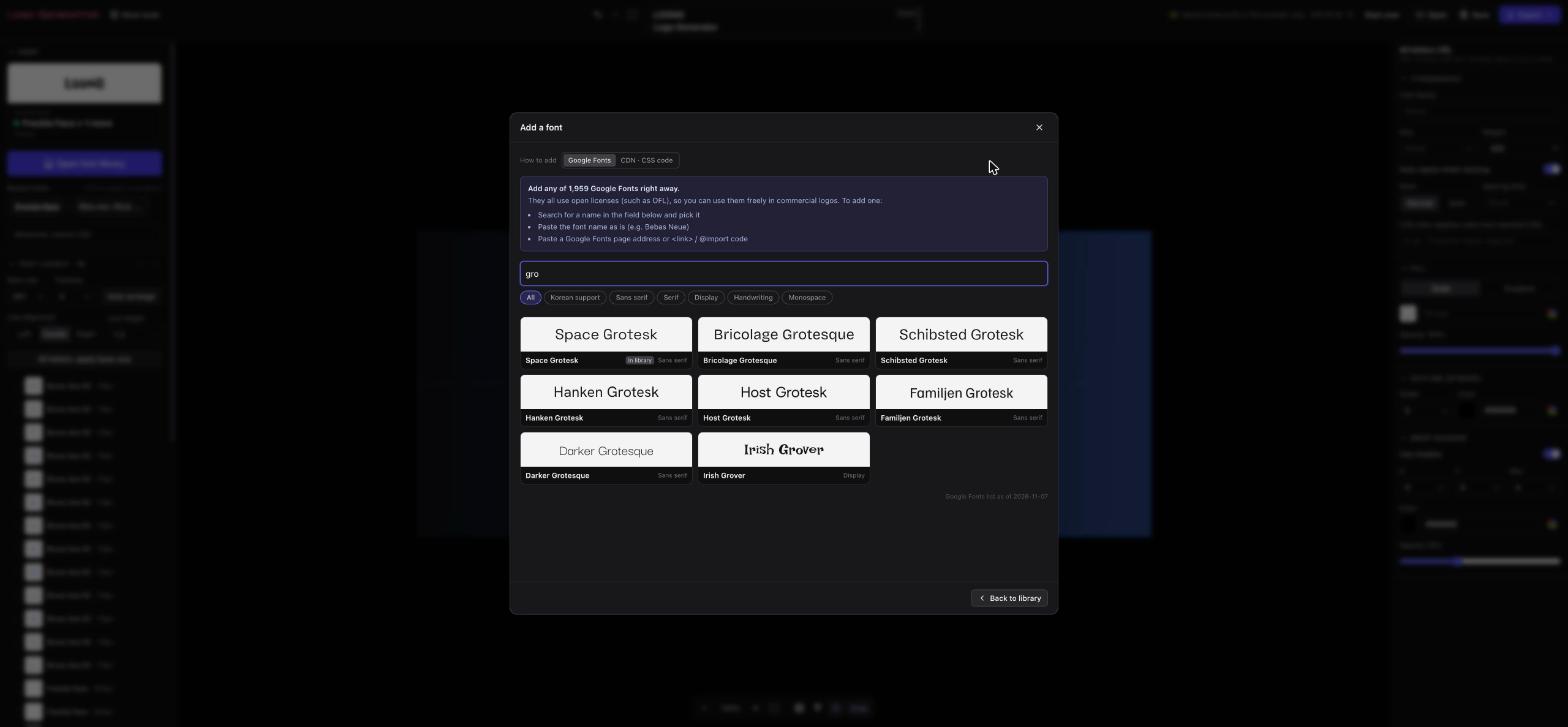
In Logo Generator, click Open font library, then Add a font. You can search every Google Font by name, filter by type (Sans serif, Serif, Display, Handwriting, Monospace) or by Korean support, or paste a Google Fonts URL.
Type part of a name—here "gro"—and the results preview immediately.
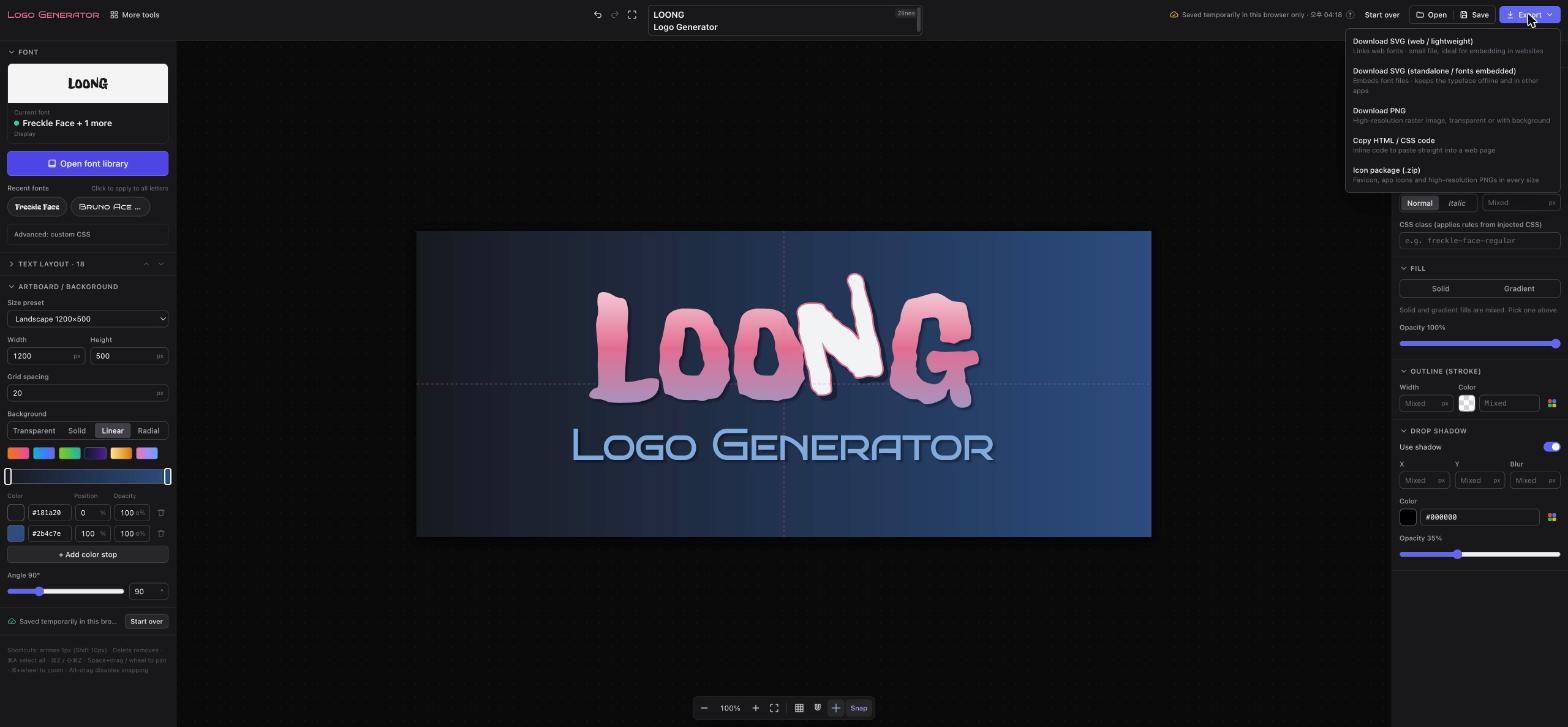
Fonts you add are saved to My fonts in your browser, and the six you used most recently appear as one-click chips under Recent fonts. See font library tips for the full workflow.
How to test a logo font
- Use your real name. Every font previews your logo text, so compare actual results, not alphabet samples.
- Check it tiny. Shrink the artboard view until the logo is about 32px tall. Thin strokes and tight curves disappear first.
- Check it in one colour. A good logo works in black on white before any gradients.
- Look at problem letters. Some fonts have unusual "g", "a" or "R" shapes that may not suit your brand.
- Compare three finalists side by side. Apply each, save a PNG, and look at them together the next day.
Pairing two fonts
If your logo has a name and a tagline, pair a characterful font for the name with a quiet one for the tagline. Contrast is the goal: heavy with light, display with neutral sans, serif with sans. Avoid two fonts that are similar but not identical—they look like a mistake.
Good pairs to try: Archivo Black + Poppins, Playfair Display + Inter, Bebas Neue + Montserrat.
Licensing in one paragraph
Google Fonts are open-licensed, so they're free for commercial logos. Fonts you add from other CDNs or files may have different terms—Logo Generator reminds you to check the license when you paste CSS code. When in doubt, stick with Google Fonts.
Once you've chosen, learn how to build a two-line logo that combines both fonts.
FAQ
Can I use Google Fonts in a commercial logo?
Yes. Google Fonts are released under open licenses (mostly the SIL Open Font License), which allow commercial use, including in logos. You can't sell the font file itself.
How many fonts should a logo use?
One is often enough. Two at most—typically one for the name and one for a tagline—so the logo stays coherent.
Which fonts support Korean?
In Logo Generator's font library, use the Korean category or the "Korean support" filter when adding Google Fonts. Pretendard, Noto Sans KR, Black Han Sans and Jua are good starting points.
Keep reading
 Insight
What File Format Should Your Logo Be? SVG, PNG, ICO, HTML and More
Which logo file to use where: SVG for websites and print, PNG for documents and social, ICO and PNG sizes for favicons, HTML for web embeds, and a project file for edits.
October 31, 2026 · 2 min read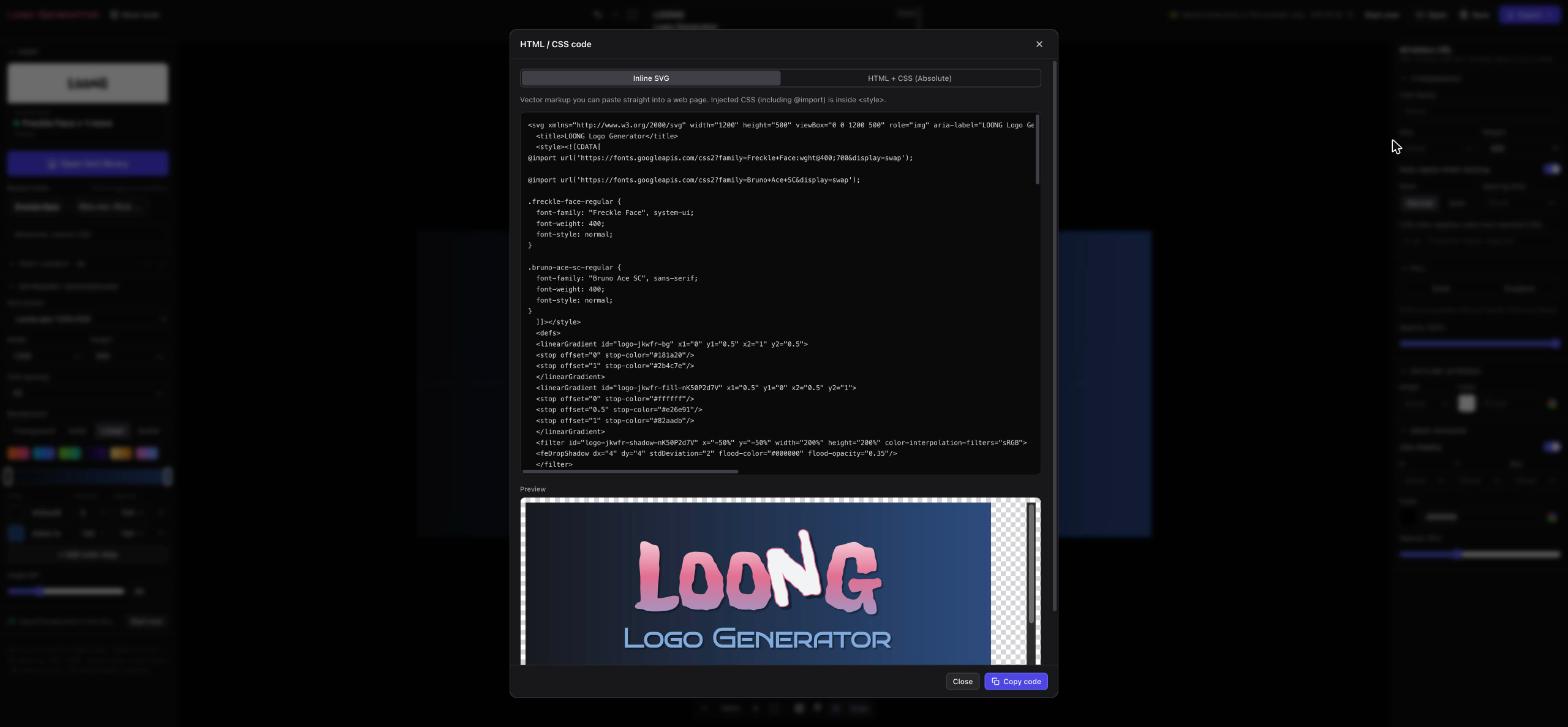 Insight
SVG vs PNG for Logos: Why Vector Wins (and When PNG Is Still Right)
Compare SVG and PNG for logos: sharpness at any size, file size, editability, transparency, browser and app support, and the cases where PNG is the better choice.
October 29, 2026 · 2 min readInsight
Give Your SVG Logo to an AI and Get a Website: Prompts That Work
How to use your SVG logo with AI assistants like ChatGPT, Claude or Gemini to generate a landing page that matches your brand, with copy-paste prompt templates.
October 28, 2026 · 3 min read